How Many Simultaneous Connections Can You Make With A VPN?
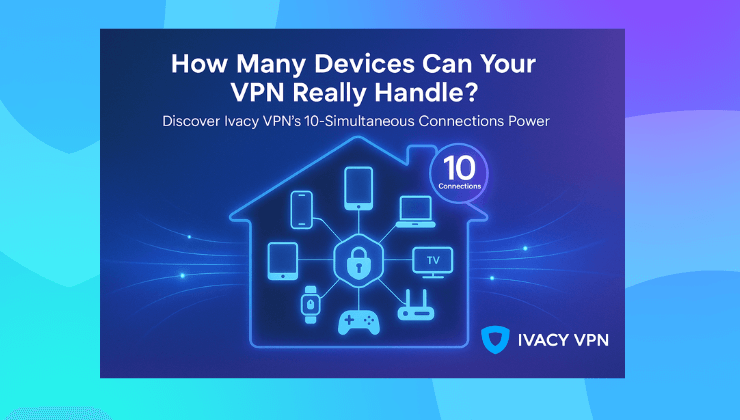
The average household has over 22 connected devices. Phones. Tablets. Smart TVs. Laptops. Consoles. Smartwatches. And let’s not forget those silent data-hoggers like printers and voice assistants. Here is the real question. When you get a VPN subscription, do you need one for each of those devices? Or can one account cover them all?
And how many connections is too many? Let’s break it down.
The rise of multi device chaos
It used to be simple. You had a desktop. Maybe a laptop. Maybe one person in the house. Now even a one person setup can easily involve five devices. Throw in a family, a home office, remote work, and you have a digital jungle. The moment you realize this is the moment you wonder if your VPN is up to the task. Because most VPNs offer a limit on how many devices can connect at the same time. And once you hit that ceiling, things start to disconnect. Sometimes without warning.
What simultaneous connections really mean
A simultaneous connection is when you are actively using the VPN on more than one device at the same time. Not just having the app installed, but actually connected and routing traffic.
So if your phone is connected, your laptop is connected, and your smart TV is streaming Netflix through the VPN, that counts as three simultaneous connections. It does not matter where those devices are located or which server they are connected to. What matters is that the VPN service sees three active tunnels open under your account.
Why VPNs limit simultaneous connections
There are two reasons. One is technical. The other is business. From a technical angle, more connections mean more bandwidth, more encryption loads, more server pressure. That adds up, especially on shared servers.
From a business angle, it is about fairness and abuse prevention. If there were no limits, people could share one account with their whole office, their friends, and their cousins. And that would wreck the infrastructure for everyone.
So limits are not evil. They are necessary. But they should also make sense.
What happens when you exceed your VPN connection limit
Most VPNs will do one of the following when you go over:
- Automatically disconnect one of your older devices to make room for the new one
- Block the new device from connecting until you log out elsewhere
- Suspend your account if you are consistently abusing the limit
That is why it is important to know what your plan includes. And to choose a VPN that gives you flexibility.
How many devices can you connect at once with Ivacy VPN
Ivacy VPN allows up to 10 simultaneous connections per account. That is enough to cover your phone, your partner’s phone, your work laptop, your personal laptop, your tablet, your TV, and still have room left.
This means you do not have to sign in and out of devices constantly. No awkward moments when your connection drops in the middle of a call because your TV decided to reconnect. And Ivacy’s apps are available across all major platforms including:
- Windows
- macOS
- iOS
- Android
- Linux
- Smart TVs
- Browsers like Chrome and Firefox
You also get the option to set it up on your router. That way, every device connected to your home network is automatically protected. And yes, that still counts as one connection.
So if you want to secure your entire home or office without micromanaging devices, Ivacy makes it easy.

Here is a quick look at how Ivacy compares with some of the industry norms.
| VPN Provider | Simultaneous Connections |
| Ivacy VPN | 10 |
| NordVPN | 6 |
| ExpressVPN | 8 |
| CyberGhost | 7 |
When to consider a VPN router setup
If you have more than 10 devices and want to keep them all protected, the most efficient option is installing the VPN on your router.
This way, any device that connects to your WiFi is covered automatically. No need to install VPN apps on every phone, smart fridge, or tablet. And because the router counts as one connection, it gives you more room to connect other devices separately when traveling or working remotely.
Ivacy VPN supports this setup, and their guides walk you through it even if you are not very technical.
Final Thoughts
You probably do not think about it until something disconnects. Then it becomes a real headache. Ivacy VPN takes that pressure off. With 10 simultaneous connections, support for routers, and apps for every major platform, you can just stay connected.
One account. Ten tunnels. Zero stress.
FAQs
What happens if I connect more than 10 devices to Ivacy VPN?
One of your devices will automatically be disconnected. You can avoid this by logging out of a device or using a VPN-enabled router.
Does installing the app on a device count as a connection?
No. Only devices that are actively connected to the VPN count toward the limit.
Can I share my Ivacy VPN account with family members?
Yes. You can use your 10 connections however you like. Just avoid mass sharing that could violate the terms.
Will using multiple devices at once slow down my VPN speed?
Not directly. But if all devices are streaming or downloading heavily, it can affect bandwidth. Ivacy provides optimized servers to minimize this.