Difference Between a Browser Extension and a VPN Client
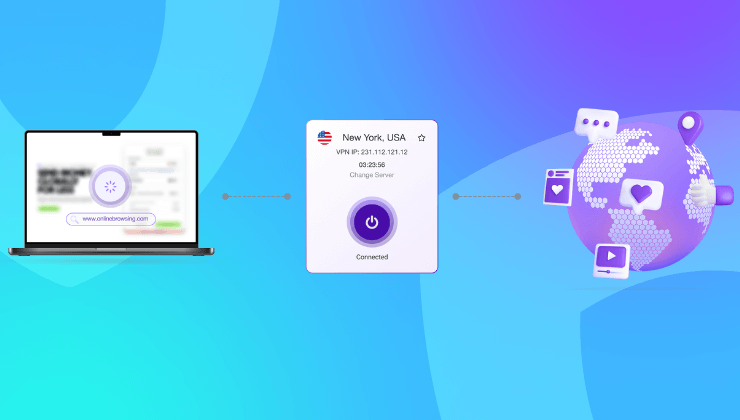
Over 5 billion people use the internet daily. But most don’t realize their browser isn’t their shield.
That “incognito” tab? It does not hide you. The browser extension that says “private”? Half the time, it’s just protecting your Google searches, not your actual connection. And that’s where things get blurry. A lot of people assume a VPN extension is the same as a VPN client. It’s not. So let’s talk about it. But before we get into the technicals, let’s take a step back.
The illusion of online privacy
You open your laptop, connect to WiFi, fire up Chrome, and start working. Emails, cloud tools, websites, banking maybe. You probably have a few browser extensions running. One blocks ads. Another claims to protect your privacy. Maybe even a VPN extension promising encryption. It all feels secure. But here’s the catch.
Most browser-based solutions are limited. They only work within the browser. Anything happening outside of it, your apps, downloads, even background processes is untouched. That’s not an opinion. That’s just how browsers work. If you’re using Slack, Dropbox, Zoom, Spotify, or anything not inside Chrome or Firefox, your data is wide open if you’re not using a full VPN.
What is a VPN client
A VPN client is a full software application installed on your device. It encrypts all internet traffic, regardless of which app, port, or service is sending it.
You could close your browser entirely. You’re still protected. It reroutes your entire connection through a secure server, masking your IP, encrypting your traffic, and protecting you from ISP tracking, hackers, or sketchy public WiFi.

So even if your email client is running in the background or your operating system checks for updates, it all flows through the VPN tunnel. That’s the power of a client.
What is a browser VPN extension
A browser VPN extension is a lightweight tool that runs inside a browser like Chrome or Firefox. It encrypts your activity only within the browser. That means it protects your browsing sessions, web-based apps, searches, and forms. But that’s it. Spotify, torrent clients, gaming platforms, email clients, even OS-level telemetry, none of that is covered. In short: it’s like locking just your bedroom door when your entire house has open windows.
The core difference between a browser extension and a VPN client
A VPN client protects all device traffic. A browser VPN extension protects only browser traffic. Let’s break it down with a simple table.
| Feature | VPN Client | VPN Browser Extension |
| Encrypts all traffic | Yes | No |
| Works outside the browser | Yes | No |
| System-wide IP masking | Yes | No |
| Protects all apps | Yes | No |
| Lightweight, easy setup | No (heavier) | Yes |
| Limited to browser use | No | Yes |
| Best for full online protection | Yes | No |
Now, does that mean browser extensions are useless? Not at all. They’re quick to install, easy to use, and great for people who just want to unblock a site quickly or browse privately within the browser. But they’re not enough for real security.
When browser VPNs fall short
If you’re working remotely, using cloud storage, managing clients, or handling financial transactions, you don’t want just partial encryption. Consider these scenarios:
- You’re on public WiFi and your browser is secure, but your email client isn’t
- Your VPN extension fails silently and you keep browsing unprotected
- A background app sends telemetry data with your real IP
- You download a file outside your browser, completely unencrypted
This happens more often than you’d think. And in each case, a browser extension won’t help. It’s surface-level coverage for a much deeper risk.
Why a VPN client is essential in 2025
Data leaks are rising. Cyberattacks are smarter. And everything from your Netflix history to your GPS logs is being tracked.
A full VPN client closes the gaps. It secures everything. Not just what you can see.
And let’s be honest, most of us use dozens of apps and services beyond just our browsers. So relying on a browser extension is like carrying a half-built umbrella in the rain.
Ivacy VPN: Full protection beyond the browser
Ivacy VPN gives you a complete VPN client that protects your entire device. Whether you’re using Windows, macOS, Android, iOS, or Linux, Ivacy routes your entire internet connection through secure servers across 100+ locations.
Here’s what Ivacy VPN’s full client offers:
- End-to-end encryption for all traffic, not just your browser
- IP masking and location spoofing system-wide
- Public WiFi protection for mobile users on the go
- Kill switch to prevent accidental leaks
- Split tunneling so you choose what goes through VPN
- Streaming and torrent support built-in
And yes, they offer browser extensions too, for quick access or lightweight tasks, but the real strength is in the full VPN client. If you’re serious about privacy and not just looking to unblock a site or two, Ivacy VPN gives you that edge.
Let’s face it: browser extensions feel convenient. But convenience isn’t the same as security.
If you want real, system-wide privacy that covers every app, download, stream, or email, you need the full tunnel.
Ivacy VPN gives you just that—without the complexity. It’s the difference between “I hope I’m secure” and “I know I am.”
FAQs
Can I use both a browser VPN extension and a VPN client at the same time?
Yes, but it’s usually unnecessary. If you’re using the full client, all your browser traffic is already encrypted.
Is a browser VPN extension safe?
It depends on the provider. Many free ones log data or inject ads. Stick with trusted providers like Ivacy.
Will a VPN slow down my internet?
A bit, yes – encryption adds overhead. But Ivacy VPN offers optimized servers for speed, so most users barely notice.
Which is better for streaming or torrenting?
A VPN client is far better. It supports full device routing, which is essential for apps like Netflix, BitTorrent, or media players.