Best VPN for Session Private Messenger
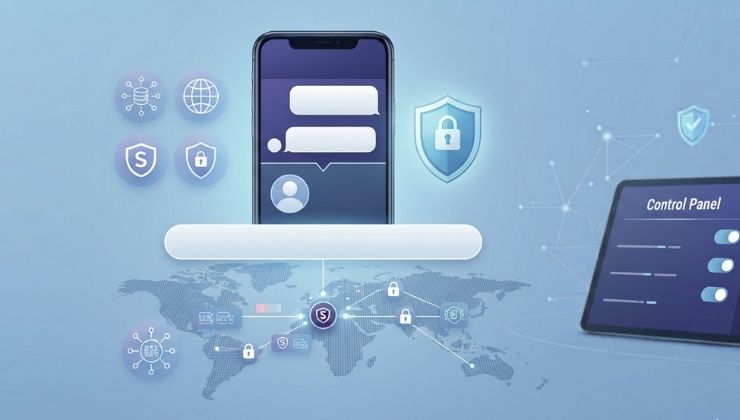
What’s safer than decentralized and entirely privacy-focused messaging apps like Session? An open-source messaging app ideal for minimizing information leaks during online communication. Session messenger does not need a user’s phone number or email ID to create an account, which is what makes it different than traditional messaging apps. Plus, the end-to-end encryption and decentralized onion routing make it one of the best private messaging apps.
Even then, Session private messaging does not provide holistic protection against ISP or network-level snooping. For this purpose, a VPN for Session seems to provide a complete solution when it comes to protecting your data and identity. Pairing a VPN with Session is like enhancing its privacy features, in a way that you can connect to open networks from anywhere. But that’s not it; this blog explores other benefits of using a VPN for Session that will help you personalize your private communication.
Can You Use a VPN with Session?
If you have searched, you may have stumbled into Session’s official FAQs where it’s clearly mentioned that it can work with a VPN without any issue. Using a VPN is like assigning a VPN provider to connect your device to the Session Network instead of your device doing it directly.
This signifies that you can make the most ouf ot Session privacy protection features, as well as what the VPN has to offer. Rest assured, a VPN does not interfere with the onion routing, nor does it replace it, which is important to keep the Session privacy infrastructure intact.
How to Set Up a VPN for Session?
Just follow these steps to get started with a VPN for Session:
- Choose a reputable VPN with the aforementioned features.
- Install the VPN app on your device.
- Open the VPN app and connect to a VPN server.
- Enable the kill switch to prevent accidental leaks.
- Launch Session and use it normally.

Why Combine a VPN with Session?
- First of all, it hides your IP address from your internet provider, who can use this information to intercept the content of the traffic. Once the VPN is connected, all this information goes through a VPN tunnel that is not exposed to anyone.
- A VPN provides significant protection against cyberattacks that mostly occur on public Wi-Fi networks. Most renowned VPNs employ encryption that helps them prevent traffic interception. This works best, especially at times when you are using Session on an unfamiliar network.
- Using a VPN adds an extra layer of privacy on Session, which also uses end-to-end encryption and decentralized onion routing. Whereas a VPN creates an encrypted tunnel between your device and a VPN server, using both can improve your online privacy further.
- You can reduce exposure to network-level monitoring with a VPN. Your ISP generally can track your traffic and see your browsing habits and which remote services you are using. Connecting to a VPN changes the whole view for ISPs, as they can’t see directly the server your device is contacting.
- A VPN allows you to maintain access on restrictive networks, or let you circumvent regional limitations imposed by the ISP or country laws. Sometimes, VPN traffic is blocked because the network settings active blocks it.
Finding the Best VPN for Session in 2026
Sessional supports a VPN connection; now what? All you have to do is find the best VPN provider for strong privacy and security features. So here is what you should be looking for:
Modern Encryption
If a VPN offers modern encryption standards alongside secure VPN protocols such as WireGuard, it will deliver better performance than the rest.
Kill Switch
An internet kill switch blocks the internet traffic on your device if a VPN connection drops accidentally. This is an utmost essential to prevent accidental IP or DNS leaks.
No-Logs Policy
Even your VPN provider can see information about your connection, and keeping it private is important. If a VPN provider has a no-logs policy, you must choose it, as it keeps no logs of activities about you or your connection.
Session Worth Speed
Due to its onion-routing architecture, Session communication sometimes experiences extra latency. Using a VPN to add an extra layer of security must not compromise speed, and it should have low-latency servers to maintain uninterrupted browsing.
Split Tunneling
For users who only want Session to use a VPN connection will find this feature helpful alot. Split Tunneling allows you to route only specific apps, such as Session, through a VPN connection, while leaving the rest as it is.
Does a VPN Slow Down Session Speed?
Using free VPNs, the ones you get around every corner, could impact your internet speed significantly. But again, it depends on several factors like which server you have chosen, the distance, users on it, etc.
To minimize the Session speed with a VPN, you can:
- Choose a nearby VPN server.
- Use VPN protocols like WireGuard (if available).
- Do not connect to overcrowded servers.
- Update your VPN software frequently.
- Use Split Tunneling to lessen the load on a VPN server.
Conclusion
As you may have known by now, Session is private; it’s safe to assume that combining a VPN with Session is generally considered a safer idea. Your conversations in Session use decentralized onion routing to reduce the exposure of your IP address and metadata, while a VPN for Session safeguards you from broader network connections that can track and collect your online activities.
However, while choosing a VPN for Session, make sure you have the right one with strong encryption, a kill switch, low-latency servers, and a transparent no-logs policy. Once combined, you can never question the security of your Session messenger.