How to Get Unbanned from Roblox – 2024’s Guide
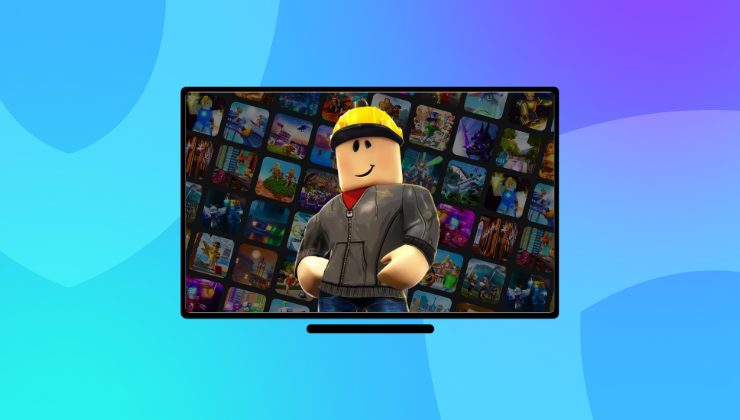
Roblox is a popular online platform that allows users to create and play games, socialize, and explore a vast virtual universe. However, as wide as its user base is, proper moderation is required to maintain a safe and enjoyable environment.
After finding out you have been banned from Roblox, many users lose it and become unsure of what to do next. In this guide, we’ll pinpoint some of the best ways to get unbanned from Roblox, while also addressing the importance of sticking with the platform’s rules.
Understanding a Roblox Ban
Before you put any effort into getting unbanned from Roblox, you must understand why you were banned in the first place. Roblox platform has a set of strict community guidelines and terms of service that all users must follow. Roblox temporary bans last for a few days, but the permanent one lasts forever. Common reasons for a Roblox ban include:
- Inappropriate Content: Using offensive language, sharing inappropriate images, or creating games with unsuitable themes.
- Exploitation and Cheating: Using hacks, scripts, or exploitation to gain an unfair advantage in the games.
- Account Theft: Attempting to stream other user’s accounts or engaging in phishing.
- Harassment: Bullying or threatening other players.
Once you have identified the precise reason for your ban, it can let you approach the situation more effectively.

How to Get Unbanned from Roblox with a VPN
This is by far, the best way to get unbanned from Roblox since it’s easy and doesn’t involve an appealing process:
Here’s how it is done:
- Remove Roblox application from your device and erase it’s data.
- Reboot your device.
- Download and install Ivacy VPN on your device.
- Launch the VPN app.
- Connect to a server in any country you want, and get a new IP address.
- Reinstall the Roblox app on your device.
- Create a new account using new credentials (email ID and username).
- You can once again use the Roblox platform now!
However, you must adhere to the Terms of Service and Community Guidelines to prevent future bans.
How to Appeal against Roblox Ban?
Appealing to the temporary Roblox ban is done by following these steps:
- Support form is the first step to reach out to the Roblox Appeals team.
- Provide your date of birth to continue.
- Enter the banned email address of yours, providing the username is optional.
- Under Issue Details, choose the device you used Roblox previously.
- Choose Moderation as the type of assistance, then select Appeal Account or Content.
- Write a brief statement about the reason for appealing. Once finished, click submit. You will get a response to your appeal within 24 hours.
Note: You only get one chance to appeal. Filing an appeal does not mean your ban will be lifted.
How to Get Unbanned from Roblox [Quick Steps]
Following the steps may help you get unbanned from Roblox.
Appeal Your Content or Account Moderation
If your account has been banned or your content has been removed, there is a way to reach out to the Roblox Appeals team. It will take some time to evaluate your situation and consider whether the ban is justified or not.
Getting banned over content includes anything you have created or posted, like audio files, outfits, experiences, or group logos. Upon getting moderated, the content cannot be restored, however, the Appeal team may revert this. In the moderation notice, you can find information on how to appeal. This notification will also inform you whether you need to appeal via Violations & Appeals, or by the Roblox Support Form.
Filing Appeals via Violations & Appeals
Few types of violations can be appealed via the “Violation & Appeals” process. It will be specified in your Roblox moderation notice whether your violation qualifies to appeal via Violation & Appeals by providing a direct link.
In this, choose the Appeal option, and then explain why your ban is unjust, and check the status of your appeal. If your violation isn’t listed there, you can still file an appeal via the Support Form.
Filing Appeals via Support Form
You have to contact the Appeals team using the support form. It will ask you to include the following:
- Provide the account user name and a brief explanation of your appeal for Account Appeals.
- Provide your account user name, the Asset ID, and a link to the content on Roblox’s website for Content Appeals.\
Which VPN is Best for Roblox?
The purpose of finding the best VPN for Roblox is to circumvent regional blocks, safely encrypt your data, keep cyber threats away, and let you enjoy the games on Roblox securely. To cover all these things, Ivacy VPN is a recommended choice!
Here is why Ivacy VPN is considered the best VPN for Roblox:
- Dedicated IP and CGNAT Port Forwarding option available.
- 256-bit advanced encryption to prevent ISP from tracking user’s online activity, and to bestow faster internet speed.
- Options like DNS leak protection and Internet Kill switch will keep you anonymous regardless of the connectivity issue.
- Provide access to more than 100+ locations, so you can pick any country to play games on Roblox!
Learn and Improve
Regardless of the outcome, take this experience as a learning opportunity. Engaging positively with the Roblox community not only enhances your gaming experience but also fosters a safer environment for all players. Here are some tips to improve your experience:
- Play by the Rules: Always adhere to the community standards and terms of service.
- Be Respectful: Treat other players with kindness and respect. Avoid using offensive language or engaging in toxic behavior.
- Create Positive Content: If you’re a game developer, focus on creating fun and inclusive games that everyone can enjoy.
- Report Violations: Help maintain the community by reporting players who violate rules.
Conclusion
Getting unbanned from Roblox can be a challenging process, but with knowledge of smart ways and a respectful approach, you can return to the platform. Do not forget to follow the aforementioned methods and remember to use a reliable VPN like Ivacy VPN to protect yourself from online threats.
Frequently Asked Questions
How long does the Roblox ban last?
It all depends on the severity of your offense that determines the length of a ban. At the lowest, users may get a warning, which means that they need to accept the Terms of Service to access their account again. A typical Roblox ban will last for one, three, or seven days.
How to skip ban in Roblox?
If you think your Roblox ban is unfair, you can access Roblox with a VPN. Roblox banning you means it has banned your IP address, which is why a VPN seems to work well since it changes your IP address and allows you to play Roblox games hassle-free.
Will Ivacy VPN help me get unbanned on Roblox?
A VPN is not the way to lift a Roblox ban, but it helps in different scenarios. It also depends on the kind of ban you have received from Roblox which again, is based on the severity of your violation.
Is it legal to use a VPN to circumvent a Roblox ban?
It is legal to use a VPN to circumvent a Roblox ban. Except for China and Russia, VPNs are allowed in many countries of the world. Before using one, it is important to check your country’s laws regarding using VPN services.