What Is a VPN Addon and Why You Need One
A study by Statista shows that over 63% of internet users rely on Chrome. That’s billions of people trusting a single browser. But here’s the kicker: your browser sees everything, your searches, your logins, your private tabs, and your location. And unless you’ve locked it down properly, your data is up for grabs.
This is where VPN addons come into play. Not to be confused with full VPN apps, these lightweight browser extensions quietly sit in the corner of your screen and act as your first line of defense.
But what exactly do they do, and are they enough?
Let’s break it down.
So What Is a VPN Addon?
A VPN addon is a browser-based extension that encrypts your internet activity within the browser and routes it through a secure server much like a full VPN app but limited to browser traffic only.
Think of it as a privacy and access tool for your browser—whether you’re using Chrome, Firefox, or Edge. It doesn’t protect everything on your device like a system-wide VPN, but it’s perfect for quick, secure browsing.
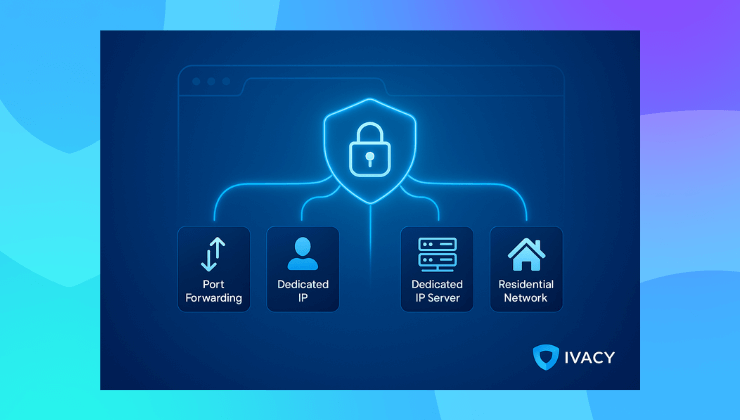
And today, VPN addons go beyond just masking your IP. With advanced options like Dedicated IP, Port Forwarding, Residential Proxy routing, and even Dedicated IP Servers, premium VPN providers like Ivacy are transforming browser extensions into powerful access and privacy tools.
Why VPN Addons Exist: The Real-World Problem
People want convenience. Full VPN apps are great, but they can feel like overkill if you’re just checking emails, accessing region-blocked content, or using public WiFi briefly.
At the same time, we’re living in a world of constant tracking, shady networks, and content restrictions. Between unsecured hotspots and invisible ad trackers, your browser needs protection whether you realize it or not.
VPN addons exist to solve that exact problem—lightweight, fast, and effective protection for everything that happens inside your browser window.

What Features Should a VPN Addon Have?
A solid VPN addon does more than just hide your IP. In 2025, these are the core features you should expect:
- Instant IP Masking
Browse from another country with one click by changing your virtual location. - WebRTC Leak Protection
Prevents your real IP from leaking through browser vulnerabilities. - Tracker and Ad Blocker
Stops intrusive ads, scripts, and cookies from following your every move. - Split Tunneling for Browser Tabs
Route specific tabs through the VPN while leaving others on the local network—ideal for multitasking securely. - One-Click Access
Quickly turn it on or off without launching an entire app. - Dedicated IP Support
Get your own static IP address for consistent access—ideal for remote work, banking, or accessing internal company resources. - Port Forwarding
Enable external connections to services like game servers or remote desktop tools securely through your browser session. - Residential Proxy Routing
Route your browser traffic through real residential IPs for more natural access to geo-restricted services.
These aren’t just fancy extras, they’re becoming the new baseline for serious browser-level privacy and control.
VPN Addon vs Full VPN: What’s the Difference?
Use a VPN addon for fast, browser-focused protection. Use a full VPN when you need end-to-end encryption like protecting your entire system, background apps, and synced services.
| Feature | VPN Addon | Full VPN App |
| Scope | Browser only | Entire device |
| Speed | Generally faster | Can be slower due to full encryption |
| Installation | Quick browser extension | Full software setup |
| Best For | Browsing, streaming, quick tasks | Gaming, torrenting, complete security |
| Security Level | Medium | High |
Where Ivacy VPN Stands Out
Ivacy VPN doesn’t just offer a basic addon, it delivers a powerful browser extension with premium-level functionality. Here’s what sets it apart:
- Over 5700 servers in 100+ locations. Change your location globally with a single click.
- No WebRTC leaks, no logs, and military-grade encryption.
- Streaming-optimized servers for platforms like Netflix, BBC iPlayer, Hulu, and more.
- Dedicated IP support right inside the browser addon.
- Port Forwarding and Residential Proxy options for advanced users.
- Quick Connect feature to instantly pick the fastest available server.
- Lightweight and memory-friendly, even with multiple tabs open.
Whether you’re working from a café, logging in from a hotel, or simply dodging trackers at home, Ivacy’s browser extension offers serious protection without the hassle.
Need more than just browser protection? You can upgrade to Ivacy’s full VPN using the same account securing your entire device in seconds. Learn more about Ivacy VPN’s features here.
Who Should Use a VPN Addon?
A VPN addon is ideal for:
- Travelers who want instant protection on public WiFi
- Remote workers accessing cloud apps and internal portals in-browser
- Students accessing geo-blocked websites or educational tools
- Streaming fans who want to unblock content
- Privacy-conscious users who don’t want to be tracked online
If most of your digital life lives inside a browser tab, this is your fastest path to better online privacy.
Final Thoughts: Small Addon, Big Protection
We spend hours every day inside our browsers. It’s where we chat, work, shop, and stream. Leaving it unprotected is like locking every door in your house—except the one you use the most.
A VPN addon won’t encrypt your whole system, but for fast, casual, and secure browsing—it’s one of the smartest privacy tools of 2025.
If you want a feature-packed, privacy-first browser extension, Ivacy VPN’s addon is a top-tier choice. And when you’re ready to go all-in, the full VPN app is just one upgrade away.
FAQs About VPN Addons
Is a VPN addon safe?
Yes, if it’s from a reputable provider like Ivacy or PureVPN. Avoid shady, free extensions without a clear privacy policy.
Does a VPN addon hide my IP?
Absolutely. It assigns a new IP based on your chosen location.
Can I use both a VPN addon and a full VPN app?
Yes, but it’s usually unnecessary unless you’re segmenting traffic.
Will it work on mobile browsers?
Most browser addons are desktop-only, but Ivacy offers full mobile apps for Android and iOS.
Does it make me anonymous?
It improves privacy by hiding your IP and encrypting browser traffic, but total anonymity depends on how you browse.