Time for Ivacy Easter Surprise! (Date Extended)

On Easter this year we’ve got a great Easter Surprise coming your way!
Keeping in view the tradition, Ivacy- the tier 1 VPN service provider, has again risen up to the occasion and this time offers you a chance to win a FREE Kodi Box.
Edit: Contest to Win FREE Kodi Box Date Extended!
In light of the overwhelming response, we are pleased to extend the date till 8th of April which marks the occasion for Orthodox Easter. So click to subscribe and enter the contest for a chance to win!
How to win a Kodi Box this Easter
The how? It’s simple. Buy an Ivacy subscription and you automatically enter the Easter Surprise contest. On the 8th of April, via lucky draw, a winner will be announced. Seize this opportunity and get your Ivacy VPN account now and get in the contest for a Free NVIDIA Shield TV Android Kodi Box this easter!
Every user can be a winner
- The customers can refer a friend and if the friend buys a plan, the referring users can mail us the friend’s email address along with theirs so we can verify if both the referrer and the referee emails match. When they do, both the users become a part of the contest.
- By upgrading their ongoing plan, the existing users automatically enter the contest so if someone upgrades the monthly plan to our 2—year plan, he or she automatically becomes a participant.
And for our inactive users
The offer isn’t limited to our new and existing users. If your subscription has expired, you can renew it before the end of 1st April and you will become a part of this contest.
More on the Easter Surprise Egg
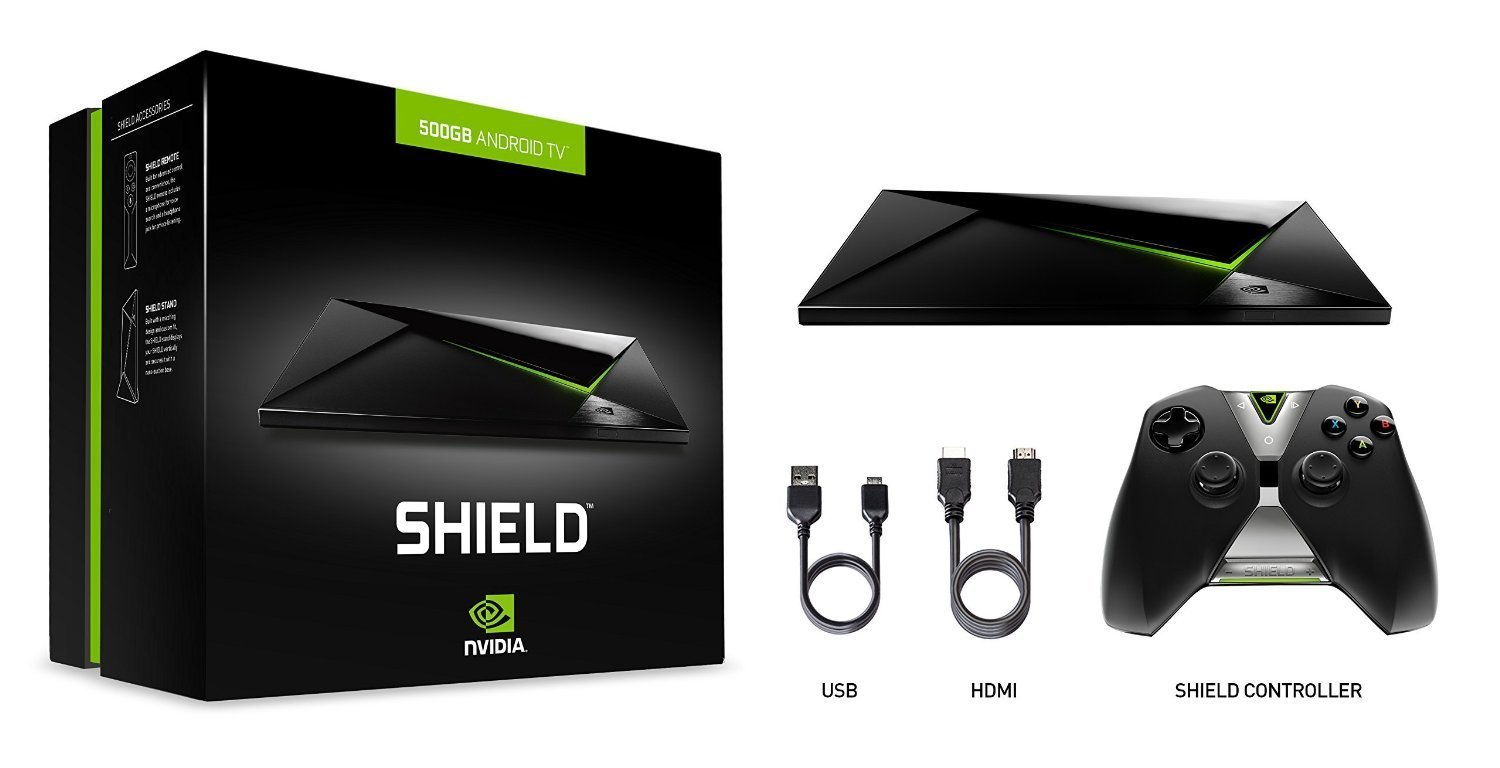
The NVIDIA Shield TV is the most powerful Android TV device around. This 4K box packs some serious welly, coming not only with HDR support but a Tegra X1 graphics card and 3GB of RAM, so it’s also amazing for gaming.
Kodi is one of the most popular and easiest ways for cord cutters to ditch their cable bill for good. It’s a very flexible open source media center (formerly known as XBMC) that’s available on many different operating systems, including Android.
Since it’s just an Android app, this means that it’s also available for the NVIDIA Shield Android TV, which is far and away the most capable Android TV box than any others you’ll find. We’ll walk you through the basics of getting Kodi up and running, with some tips for finding and adding content and add-ons!
On top of giving you the capability to stream video and music files over a local network, the software also includes the ability to install add-ons, such to stream from almost any streaming service you could think of, including Amazon Prime Instant Video, Spotify and Netflix.
Installing Kodi onto your NVIDIA Shield Android TV is by far the easiest part of setting up the app. Since it’s available right from the Google Play Store, it’s as easy as downloading any app onto an Android device.
- Open the Google Play Store app on the NVIDIA Shield Android TV.
- Search for Kodi.
- Select Install to download the app.
Also, Kodi is a perfectly legal piece of software designed to help cord cutters build the ultimate streaming system.
Get the best VPN for Kodi and access blocked content! If you’re streaming Peer-2-Peer channels with your Kodi, you’ll want to protect yourself. And, companies like Netflix restrict what content you can access based on your IP address. Sign-up for VPN for Kodi to hide your identity and re-route your IP address for safe, anonymous, unfiltered entertainment.
What features will you get with an Ivacy VPN account?
- 450+ Servers in 100+ Locations
- P2P Optimized Servers with Unlimited Bandwidth
- 5 Multi-Logins
- Split Tunneling
- Live Chat Support
- Unlimited Data Transfer and Server Switching
Enter Our Easter Surprise Contest
Wait no more! Don’t let this spectacular Easter Surprise contest go in vain. Avail this excellent opportunity and ensure your online privacy and security like never before.


