Most Common Windows VPN Errors and How to Fix Them
- Why VPN errors on Windows are so common
- Most common Windows VPN errors and what they really mean
- Other things that break VPNs on Windows
- A quick look at what usually causes each type of error
- When the VPN is not the problem
- How Ivacy VPN simplifies your Windows VPN experience
- Final thoughts
- Frequently Asked Questions
VPNs are great until they suddenly stop working. One minute you are securely logged into your company server or bingeing a restricted show, and the next, you are staring at a vague Windows error like “The remote connection was not made.” Sound familiar?
You are not alone. A recent survey found that over 49 percent of VPN users have experienced a connection error on Windows in the past year. That is a lot of frustration and a lot of time lost to troubleshooting. So what actually goes wrong?
Let’s unpack it.
Why VPN errors on Windows are so common
Windows is a powerful operating system, but its flexibility comes with complexity. With so many variables running in the background like network drivers, security software, firewall rules, and updates, it is no wonder VPN connections can hit a snag.
And not all VPNs are created equal. Some play better with Windows than others. Some leave you hanging with vague error codes and zero support. That is where understanding the most common issues can save you time and keep your connection stable.
Most common Windows VPN errors and what they really mean
Here are a few usual suspects. These show up often, especially if you are using the default Windows VPN client or switching between multiple VPN tools.
Error 720: A connection to the remote computer could not be established
This one usually means there is a problem with network protocol bindings or the TCP IP stack. Basically, Windows is not communicating properly with your VPN.
Error 800: Unable to establish the VPN connection
Super common and frustratingly vague. This error can be triggered by firewall rules, wrong server address, incorrect login, or even internet connectivity issues.
Error 619: A connection to the remote computer could not be established, so the port used was closed
Often caused by firewall or antivirus interference. If you have got more than one VPN installed, they might also be clashing.
Error 13801: IKE authentication credentials are unacceptable
This error shows up with L2TP or IKEv2 protocols when there is a mismatch in certificate or pre shared key settings.
Windows built in VPN not connecting at all
Sometimes, it just spins forever. No error. Nothing. Usually, this points to driver conflicts, missing services, or even an overactive firewall.
Other things that break VPNs on Windows
Sometimes the problem is not the VPN. It is the environment around it.
- Antivirus software: Some security tools block or filter VPN traffic
- Windows updates: These can reset or alter networking settings
- Multiple VPNs installed: They can interfere with each other
- Outdated network drivers: Especially after major Windows version upgrades
- DNS conflicts: Sometimes caused by your ISP or cached settings
These do not always show up in an error message, but they are responsible for plenty of silent VPN failures.
A quick look at what usually causes each type of error
Before diving into fixes, here is a quick overview of the most common Windows VPN errors, what causes them, and how to get things working again.
| VPN Error | Root Cause | Fix |
| 720 | Network protocol bindings broken | Reset TCP IP stack |
| 800 | General connection failure | Check firewall and server address |
| 619 | Port conflict or interference | Disable antivirus or try a different port |
| 13801 | Cert or PSK mismatch | Double check IKEv2 settings |
| No response | Driver issues or service conflict | Restart VPN services and update drivers |
When the VPN is not the problem
Sometimes, your VPN client is just fine. But Windows does not make it easy to know that. If you are using public WiFi, behind a corporate firewall, or dealing with throttling from your ISP, your VPN might be functioning correctly but cannot reach the server.
In that case, trying a different protocol like WireGuard or switching servers usually helps. But not all VPNs let you do that easily.
How Ivacy VPN simplifies your Windows VPN experience
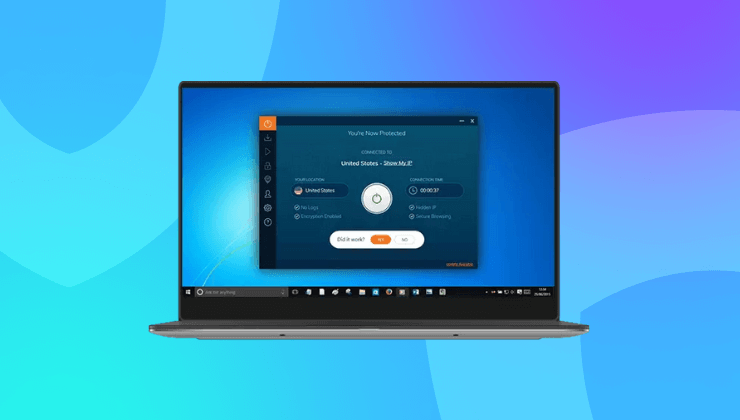
If you are running Windows and want fewer headaches, Ivacy VPN is one of the smoother experiences out there. It is built to work out of the box with Windows, supports multiple protocols including WireGuard and IKEv2, and comes with features that prevent the most common errors from ever happening.
The app includes built in options to switch protocols on the fly, auto reconnect after a dropped connection, and split tunneling so you can keep local apps outside the VPN without disabling everything. It also avoids clashing with antivirus tools, which is a major issue on other platforms.
No need to fiddle with certificate imports or driver rollbacks. Just connect and go.
Final thoughts
VPN errors on Windows are common, but most are solvable once you know what to look for. Whether it is a flaky network stack or an overzealous firewall, recognizing the root cause can save you a lot of frustration.
But sometimes, the fix is not just patching the problem. It is switching to something that is designed to avoid the issue in the first place.
Ivacy VPN gives you a stable, no guesswork experience on Windows. So you spend less time Googling error codes and more time staying secure.
Frequently Asked Questions
Why does my VPN keep disconnecting on Windows?
This usually happens because of unstable internet, interference from antivirus software, or issues with your VPN protocol. Try switching protocols or enabling the VPN’s auto reconnect feature if available.
Is Windows built-in VPN reliable?
It works for basic needs but lacks flexibility and advanced features. It can also be prone to error if you do not configure it correctly. Most users prefer third-party VPNs for better stability and ease of use.
Can Windows Firewall block VPN connections?
Yes. If your firewall is not set to allow your VPN app or the ports it uses, it can block the connection. You may need to manually add an exception in the firewall settings.
Do I need to reinstall my VPN to fix connection errors?
Not always. Most errors can be fixed by updating your network drivers, resetting the TCP IP stack, or switching VPN protocols. Reinstalling is usually a last resort.
Which VPN protocol works best with Windows?
WireGuard and IKEv2 tend to be the most stable and secure on Windows. Both are supported by Ivacy VPN and are easy to switch between within the app.