VPN for TCL Android TV: Setup Guide and Key Benefits
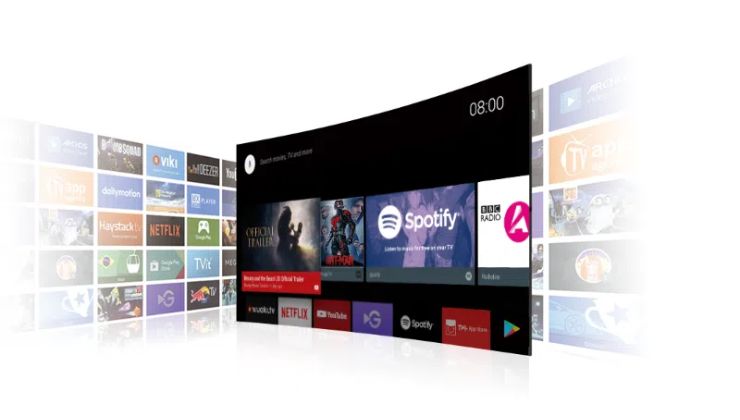
TCL Android TV caters to millions of people with hundreds of streaming services, some of which are supported, while others are not. It’s true that some content libraries from the Android TV cannot be accessed, no matter what model your TV is.
Regional limitations have been limiting viewers from watching their favorite streaming channels, and a VPN provides a valid solution so you can enjoy anything on your TCL Android TV without regional blocks.
Why Should You Use a VPN on TCL Android TV?
Your TCL Android TV is connected to the internet, and it’s an open place for cyberattacks to occur. A VPN protects you from malicious attempts and also prevents ISP throttling, an attempt by your Internet Service Provider.
But that’s not only the case, using a VPN will set your TCL Android TV, as you can now access the regionally banned streaming services. What makes Android TV VPNs so capable of doing this is the feature of changing IP addresses that enables you to access the unavailable content.
VPN for TCL Android TV – Key Benefits
The key benefits of using a VPN on your TCL Android TV are listed below:
- Accessing the geo-restricted content is the main reason why many TCL Android TV users opt for a VPN service. This allows them to unlock a plethora of foreign sports channels and entertainment services.
- A VPN adds a privacy layer to your Android TV to prevent cyberattacks from other devices and your ISP, so they don’t perform speed throttling to your IP address.
- With a VPN installed on your TCL Android TV, it’s possible to avoid the regional price restrictions. Considering the price for a particular streaming service is different from that in other regions, a VPN changes your location to the precise server so you can opt for the cheapest pricing option.
What’s more? A VPN is a gateway to have an entirely secure Android TV with boundless options for entertainment.
Installing VPN for TCL Android TV – Setup Guide
You can pick any method to install a VPN on your TCL Android TV based on your convenience:
Direct VPN Installation
Remember, your TCL Android TV is an Android, which means it has the Google Play Store integrated. One of the easiest methods is to download your chosen VPN directly to the TCL Android TV, which is also a hassle-free option since it runs with a remote control easily. VPNs like Ivacy VPN are available on the Play Store and App Store, which can be easily downloaded on a Smart TV and Android TV.

Set up VPN on the Router
You can always download an APK file of your chosen VPN if it’s not available in the Play Store. Once you install a VPN on your router manually, the devices connected to it will also be using the VPN server location, and that involves your TCL Android TV as well. This method is time-saving than installing a VPN separately on each device.
VPN-enabled Router
Many Wi-Fi routers now come with built-in VPN support, allowing users to adjust the connection manually from the router’s dashboard. For a TCL Android TV, this is secure with consistent bandwidth throughout.
Share a VPN via Hotspot
You can share a VPN connection by creating a Wi-Fi hotspot on your PC or mobile. Once the hotspot connection is created, you can connect your TCL Android TV to that connection. It’s easy, convenient, and serves you right by avoiding regional blocks and censorship.
Finding the Best VPN for TCL Android TV
If you are looking for the best VPN for your TCL Android TV, look for the following options instead:
- End-to-end encryption is being offered by many VPNs, but only the best one will sustain this feature under every condition. AES 256-bit encryption is the latest encryption type that is considered the safest one.
- VPNs with multiple logins are more feasible since they can cover 5-10 devices simultaneously.
- Many of us won’t know about the Split Tunneling option, but that’s an incredibly useful feature for Android TV users. The feature only allows a particular app to run on a VPN connection, giving you higher speeds every time.
- Streaming would be much safer if your VPN supported streaming platforms like HBO, Netflix, BBC iPlayer, Max, Hulu, and many more.
- Last but not least, choosing the best VPN for TCL Android TV requires it to have a wide network of global servers. Ultimately, it will boost your surfing experience and give you more choices.
Final Words
Your TCL Android TV can be a global entertainment device if you pick the right VPN for it. It will not only add privacy to your device but also give you a wide range of options when it comes to streaming. Whether your favorite genre is sports, documentary, or Netflix originals, now you can grab them all in one go with a VPN that must meet the aforementioned requirements. Free VPNs are not trustworthy and thus should not be used for more than a day, whereas it is wiser to go for a VPN that offers affordable pricing and a money-back guarantee.
Frequently Asked Questions
Can i use a free VPN on my Android TV?
Free VPNs are not recommended since they have lots of security flaws, and also, they do not provide the same speed as paid VPNs.
Which streaming services can a VPN unblock on Android TV?
Using a VPN can unblock streaming services like Netflix, Amazon Prime Video, Hulu, Max, and many more.
Is it safe to use a VPN on Android TV?
Yes, a premium VPN is completely safe to use in support of your Android TV. Before purchasing a VPN service, make sure to check the compatibility of your Android TV first.
Does VPN decrease internet speed?
Top-notch VPNs like Ivacy VPN and others do not decrease the internet speed on any device, including Android TV. For better speed, VPN providers often advise to connect from a nearby server location.