How to Find the Right VPN for MySudo
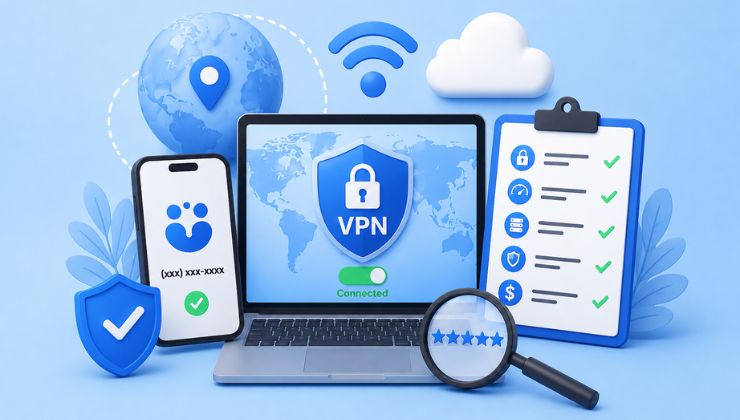
Many of us now rely on the internet so much that we need it nonstop on a daily basis. Considering its importance in our lives, we cannot neglect data breaches, ISP tracking, and online surveillance, that poses a great threat to our identity and digital assets. MySudo is a popular privacy-oriented app that allows users to keep their phone numbers, emails, banking, and browsing information secure at all times.
While pairing MySudo with a VPN may sound like a normal idea to you, it does wonders in the background by offering maximum protection to your internet traffic.
About MySudo
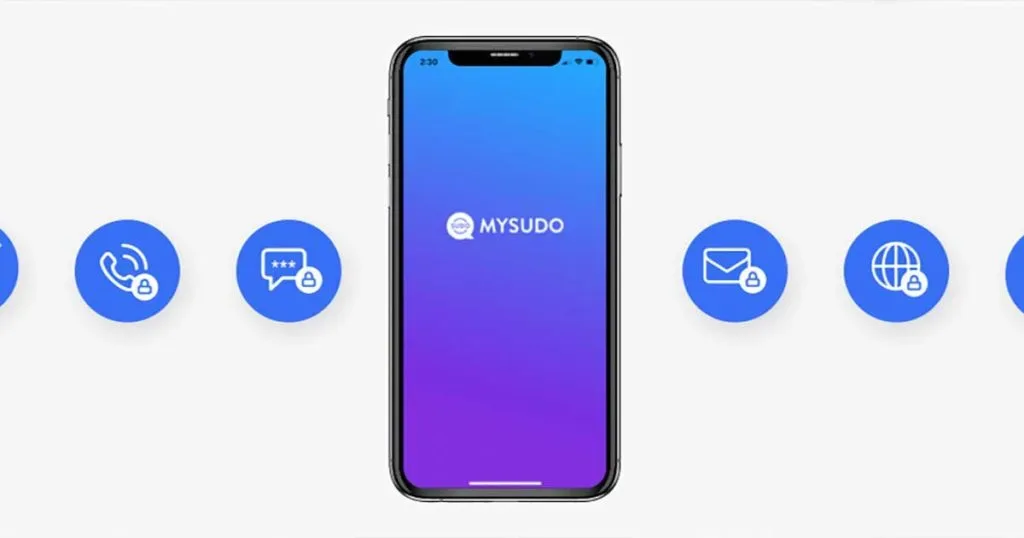
Everything you do online will be accompanied by one of Sudos, for example, a Sudo for online shopping, one for dating apps, online forums, and work. The main idea behind this is to minimize the tracking by the data collectors.
Who is MySudo For?
Creating different Sudos for different online habits of yours, MySudo is an ideal privacy-protecting app for:
- Remote workers
- Freelancers
- Journaliss
- Travelers
- Online sales
- Avoiding spam calls, messages, and scams
Why Do You Need a VPN for MySudo?
Ok, here is the thing, MySudo may protect your identities aimed for communication, but it surely doesn’t hide your connection details and other identifiable information. Furthermore, your ISP can also see your MySudo usage and throttle your internet speed accordingly.
A VPN allows you to go completely anonymous, where not even your ISP can snoop into your online activities. Combining MySudo with a VPN gets your internet traffic encrypted, which is a big relief while using public Wi-Fi networks. It’s a normal choice for someone who has a little bit of know-how about cyberattacks.
What MySudo VPN Must Have?
If you are thinking about using a VPN with MySudo, here are a few things you should consider first:
Cross-Device Support and Integration
You can link your desktop app to the mobile one to maximize the protection. VPNs like Ivacy VPN offer easy desktop integration so you can run sessions independently.
Advanced Protocols
If you are using iOS or Mac, the best protocols for MySudo VPN include IPSec and IKEv2, whereas for Android users, there is OpenVPN, WireGuard, alongside IPSec protocols designed for maximum security and connection stability.
No-Logs Policy
The feature is found in only a few VPNs that stops the trackig by deleting all your activity logs at all times. So even if someone breaks through, your IP address, browsing details, and other metadata, they wouldn’t find anything.
Split Tunneling
Whether you just want MySudo to work with a VPN or add some other apps, split tunneling offers you the choice of one or many apps that require VPN protection.
How to Set Up a VPN for MySudo
- Download the MySudo app on your chosen device.
- Find a VPN for MySudo and download it from Google Play or App Store.
- Launch the VPN app and go to the server list.
- Connect to any VPN server location, flexible for your needs.
- Your VPN will now be linked with MySudo, rendering bolstered privacy across the internet.

What are the Benefits of Using MySudo VPN
Using the MySudo app without a VPN has never been like this before. Many users posted about what they achieved using MySudo VPN:
- An ecosystem built for privacy, rest assured, MySudo will work without interruptions.
- Complete anonymity without PII collection.
- Protection on different platforms, i.e., mobile and desktop.
- Internet kill switch disconnects you from the internet if your VPN connection gets interrupted, even for a while.
- Data handling practises are approved by the recognized standards of privacy and security.
Free VPNs for MySudo – Are They Worth a Try?
If you are really aiming for privacy while using MySudo, any reliable VPN can help you out, since the advanced features have been integrated in many paid VPN services that will help you further boost your Sudos protection.
Does a VPN Increase MySudo Performance?
Situations where your online activities are constantly monitored by the ISP, throttling is applied to your profile, so you would consume less bandwidth than usual. This basically limits MySudo’s efficiency in doing your tasks and exposes your online identity.
Top-notch VPNs like Ivacy VPN prevent ISP throttling and render a stable connection speed. They also use cutting-edge protocols like WireGuard that help enhance connection speed for a smoother experience. You can also pick a nearby server if you want to increase MySudo performance.
Does MySudo Work Without a VPN?
Sure, it does. The only thing you’ll miss is the extra layer of privacy that you could have with a VPN. Modern features required to prevent sophisticated forms of cyberattack are not integrated into the MySudo app. Features such as a kill switch, a no-logs policy, split tunneling, always-ON VPN, and many others can only be found if you combine a VPN with MySudo.
MySudo may protect your identity, but it never hides your connection details, making it easy to break through your privacy.
Conclusion
MySudo is an ideal platform for separating your online activities so they don’t mix up. But if you pair it with a VPN, it’s like saying farewell to the:
- Online tracking
- Location-based profiling
- ISP throttling
- Identity expose
- Risks on public Wi-Fi networks
Users who are desperate to keep their privacy maintained in today’s online world can use a VPN proposes a smart and pragmatic approach. This method won’t put your sensitive data at stake, neither makes you visible for online surveillance, which is why many users keep facing geo-restrictions.