Best VPN for Miro – Seamless Collaboration and Creativity
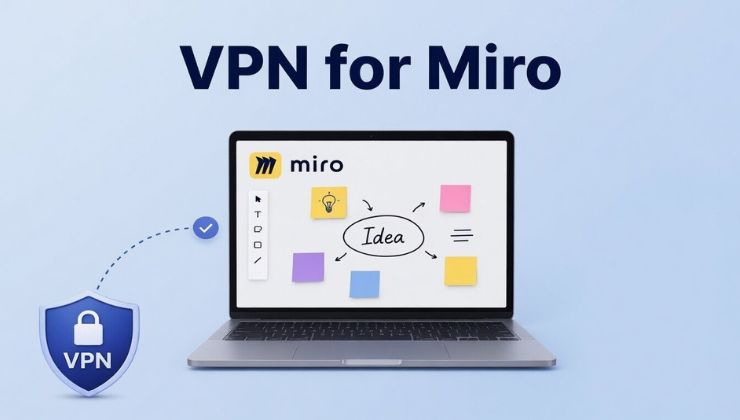
Many platforms nowadays support remote collaboration, most of which are AI-based. Miro is a unique, innovative workspace that has taken brainstorming sessions and product roadmaping to the next level with its accessibility from across borders. But whether it’s a platform for an individual or a team, data privacy and network security are important factors to consider.
This guide explains why using a VPN for Miro is relevant for overcoming access restrictions and securing your digital assets, whether you are a freelancer or working remotely.
Setting Up a VPN for Miro
You can start using a VPN for Miro after following these simple steps:
- Find a VPN suitable for Miro, especially with 256-bit encryption, a no-log policy, and 20 Gbps speed.
- Install the VPN app on your device, i.e., mobile or desktop.
- Launch the VPN app and go to the server list.
- Connect to the nearby server (for better speed).
- Open Miro website, connect, and start working in collaboration securely.

What is Miro Used For?
Those who don’t know, Miro is a cloud-based collaborative workspace for versatile businesses that allows teams to brainstorm and plan their ideas using visualization tools. The fun part is that you can join Miro from anywhere in the world and pitch in your ideas without lag or connection drop. Over the recent years, Miro has revolutionized remote working with its AI integration, which has also been picked up by many educational institutions.
Why a VPN for Miro is Important
Today’s digital era demands utmost protection, which is only possible if you run encryption on your sensitive data. Miro has a built-in encryption feature, but it doesn’t hide your connection details. This is where a VPN becomes intricately useful; it hides your connection details, especially on public or shared Wi-Fi, which are notoriously dangerous hotspots.
Modern VPNs for Miro are available with AES 256-bit encryption that hides your internet traffic before it arrives at Miro servers. In addiiton, a VPN for Miro unlocks full bandwidth by reducing ISP throttling during peak hours. It blocks any interception while you are working on Miro, and you can access content that imposes regional limitations from a certain region.
Key Benefits of VPN for Miro
A top-notch VPN provides the benefits that mainly revolve around security, privacy, speed, and enhanced Miro experience. These are:
Enhanced Data Protection and Privacy
While designing whiteboards and sharing files with your team, a VPN ensures that your identity remains private during teaming sessions. Snoopers like ISPs could track your data and throttle your speed accordingly, and this will put an end to ISP monitoring for good.
Secure Remote Access
Even if you are accessing Miro from public Wi-Fi available in airports, cafes, and shopping malls, having a VPN secures your sensitive business data from hackers. This is done by transmitting your incoming and outgoing data through a VPN tunnel, which is basically encrypted.
Circumvent Network Restrictions
Using Miro for education is simply wonderful, but many schools and workplaces put restrictions on using creative tools like this. If you want to defeat the situation, using a VPN comes in handy since it lets you switch between different server locations, enabling your access to Miro from schools and offices.
Integrate with Other Tools Safely
When you integrate Miro with other tools like Microsoft Teams, Google Workspace, or Slack, you need to make sure that all the connected tools remain private and encrypted. A VPN does all that work for you so you can conduct collaborative sessions seamlessly.
How to Use a VPN for Miro Correctly
For those having the top VPN names like Ivacy VPN, they can get the best out of it if they simply follow these tips:
- If you need more speed, split tunneling feature allows you to choose Miro only for VPN protection, while the other apps will work normally.
- Pick servers with low latency for a smoother and seamless Miro experience.
- Always keep the internet kill switch option on to prevent identity leaks.
VPN for Miro Best Case Scenarios
A VPN for Miro should be your top choice if you:
- Work remotely or travel frequently
- Use public Wi-Fi networks quite often
- Works with sensitive businesses and clients
- Live in countries with regional limitations and censorship
Conclusion
Having problems while accessing Miro? That’s not the problem of your device or software, but the network. Using a high-speed and cutting-edge VPN service for Miro equips you with modern tools to bypass restrictive firewalls and secure your sensitive data on unsecured networks.
Moreover, you can enjoy lag-free real-time collaboration, which is exactly what Miro is designed for. Always remember to switch between servers if you experience slow speed, and lastly, beware of the free VPNs.