What Is Split Tunneling and How to Configure It
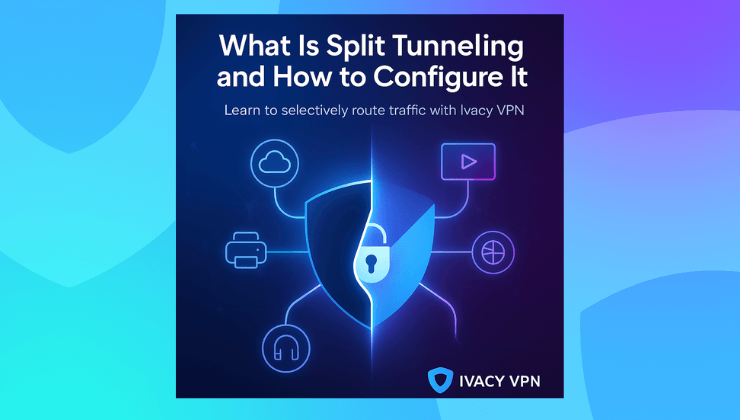
If you have ever tried using a VPN and then suddenly lost access to your local network printer, cloud backups, or even a favorite streaming site, you already know the pain of full-tunnel VPN routing. It is secure, sure. But also rigid.
This is where split tunneling becomes one of the most underrated yet powerful features in any VPN toolkit. It is not just a technical buzzword. It is what makes your VPN actually usable day to day.
What is split tunneling in VPN
Split tunneling is a VPN feature that lets you route only specific apps or websites through the VPN while the rest of your traffic uses your regular internet.
Instead of forcing all your internet traffic through an encrypted VPN tunnel, it gives you the choice to split it. Some apps stay protected. Others bypass the VPN to run freely. That means fewer connection issues. Better speed. And more flexibility.
You can watch local content, access LAN-based services, or run software updates without disconnecting your VPN every time.
Why split tunneling matters in real-world use
For most users, a VPN is an all-or-nothing switch. You toggle it on, and everything flows through it. That works fine, until it doesn’t.
- Your bank flags your connection because you appear to be in another country
- Your printer stops responding
- Your video calls lag due to reduced speed
- Your favorite streaming service boots you from the local library
Here’s where split tunneling solves the issue.
It lets you protect your sensitive apps, like email or browsers, while letting others operate like normal. Think of it as smart routing based on purpose.
With split tunneling, you keep speed where it matters and privacy where it counts.

How split tunneling works
There are two primary types of split tunneling, depending on how your VPN provider implements it:
- App-based split tunneling
You choose which apps will use the VPN and which won’t. For example, your browser might run through the VPN, but your music streaming app will use your regular internet. - Inverse split tunneling
This flips it around. All your apps go through the VPN except the ones you specifically exclude.
Most consumer VPNs offer app-based split tunneling. It is simpler, more intuitive, and gets the job done without extra configuration.
How to configure split tunneling on your VPN
Setting up split tunneling is typically done inside your VPN client. While steps can vary across platforms, the process with Ivacy VPN is refreshingly straightforward.
Here is how you configure it using Ivacy:
- Open the Ivacy VPN app
- Navigate to Settings
- Look for the Split Tunneling tab
- Choose whether you want to include apps or exclude them
- Add your apps to the list
- Connect to the VPN and start browsing as usual
Ivacy supports split tunneling on Windows and Android, with guides available for each.
For users who want full control without the complexity, this is a powerful way to balance privacy and convenience.
When to use split tunneling
Split tunneling is ideal when you want to:
- Watch geo-restricted content locally while your browser stays protected
- Access LAN printers, scanners, or shared folders
- Improve performance by bypassing the VPN for low-sensitivity apps
- Keep specific tools outside the VPN for legal or business reasons
- Use VoIP or video apps that struggle with VPN interference
This feature is especially popular with remote workers, streamers, and digital nomads. You do not have to compromise on access or security. You just control the flow.
Ivacy VPN and its split tunneling advantage
Ivacy VPN includes built-in split tunneling on supported platforms, giving you smart control without technical roadblocks.
What makes Ivacy stand out:
- Easy app-based split tunneling with a clean interface
- Inverse tunneling for full-device protection except for selected apps
- Fast switching between modes without disconnecting
- Works seamlessly with browser extensions, native apps, and even smart TVs
Plus, Ivacy offers router-level support, so you can go a step further and configure tunneling on a network level if needed.
Whether you’re working from home, streaming across regions, or just need to keep things fast and flexible, Ivacy delivers a split tunneling setup that is both powerful and simple.
FAQs
Is split tunneling safe to use?
Yes, as long as you understand what you are routing outside the VPN. Sensitive apps like email and browsers should stay protected, while low-risk apps can bypass the tunnel.
Can I use split tunneling on macOS or iOS?
Not yet. Due to OS-level restrictions, most VPNs (including Ivacy) currently offer split tunneling only on Windows and Android.
Will split tunneling improve my connection speed?
Yes. It reduces the load on your VPN connection by allowing less sensitive apps to use your regular internet.
Does Ivacy VPN charge extra for split tunneling?
No. Split tunneling is included in all standard Ivacy VPN plans at no additional cost.
What is inverse split tunneling?
It is the opposite of regular split tunneling. All your traffic goes through the VPN, except for the apps you choose to exclude.
Split tunneling is one of those VPN features you may not think about until you actually need it. But once you start using it, it changes the way you work, stream, and stay secure online. Ivacy VPN brings this capability into a simple, user-friendly interface so you can get the control without the hassle. Whether you want performance, privacy, or both, split tunneling makes your VPN smarter.