How to Change Region in Free Fire – 2026 Guide
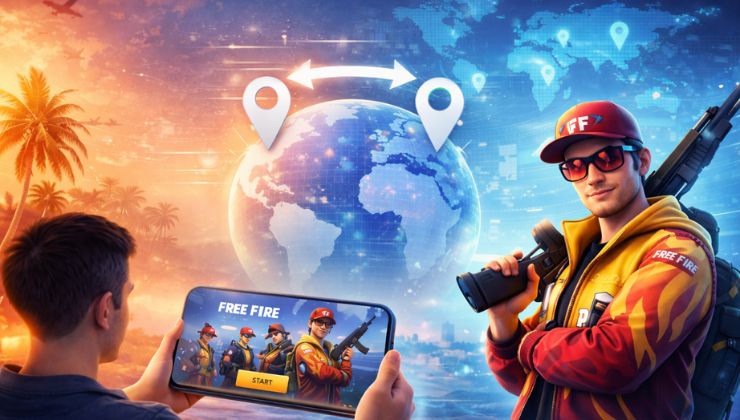
In this guide, we’ll explain the realistic ways to change regions in Garena Free Fire without compromising your privacy and security.
Does Changing Region Improve FF Gameplay?

In some cases, changing the Free Fire region can affect your gameplay in the following ways:
- It helps you get a lower ping if you connect to the nearby servers.
- Get different matchmaking based on the skillset by region.
- Access special events and content from far servers.
About Free Fire VPN
Free Fire VPN is a virtual private network service that protects your identity and digital assets on Free Fire. VPNs usually transfer your online traffic through a hidden tunnel, which is also called encryption, to hide your location and IP address from unwanted snoopers. It also grants you online freedom from regional blocks and laggy gameplay
Usually, Free Fire players employ a VPN to change their server to the nearest location. This gives them faster connectivity and lag-free gameplay while minimizing cyberattacks during high-stakes matches.
Can You Change Region in Free Fire?

It is not possible to change region in the Free Fire existing account because all of your achievements, including skins, items, diamonds, match history, and most importantly, your rank, are tied to the original server.
But as promised, there are safer methods to change location in Free Fire, and that goes by starting anew!
Method # 1
Creating a new Free Fire account for a different region is the first method you can try, as it poses no risks at all. Let’s take a step-by-step guide for this:
- Log out of your current Free Fire account
- Android users may clean the app data
- Launch the Free Fire app again
- Sign in using a different Google, Facebook, or Guest account
- Connect to the region of your choice, and enjoy Free Fire gaming in that region!
Method # 2
Using a VPN to change region in Free Fire is only applicable to new accounts. A VPN offers you the ability to choose the region of your choice with no ISP throttling and smoother gameplay. All you have to do is change your location before signing up for a new account, and the game interface will detect it as your original one. Here’s how to do this:
- Subscribe to a reliable VPN for Free Fire, like Ivacy VPN
- Open the VPN app and connect to the desired country server
- Clean the Free Fire previous app data
- Open the Free Fire app and create a new account

Method # 3
If you have been relocated to another country, you may request an account transfer from customer service. But this process may take longer, and does not guarantee success at times. After moving to another region, it is more likely you’ll need to create a new account.
Best Gaming VPN for Free Fire in 2026 – How to Choose One?
Finding the best VPN for Free Fire in 2025 requires you to consider the following points:
Speed without Limitations: If you’d like to enjoy uninterrupted Free Fire gameplay, make sure to use a VPN with an ISP-throttling prevention feature. Otherwise, you’ll be stuck with bandwidth limits and a speed cap.
Quick Location Switching: Access to any location with a Free Fire new account, and avail events, rewards, and best servers unavailable in your region.
No-Logs Policy: To make your gaming sessions private at all times, a no-logs policy is provided by a VPN provider that keeps no logs of your browsing and gaming history.
DDoS Protection: DDoS and targeted attacks ruin your gameplay, especially during the most competitive matches. A reliable VPN prevents such attacks and protects you from toxic players, which are around every corner these days.
Servers in Free Fire Regions: The best VPN for Free Fire in 2026 must have servers in the Free Fire region that are in Europe, Indonesia, Mexico, Russia, the Middle East, Thailand, Taiwan, the United States, and Vietnam.
Conclusion
Changing region in the Free Fire game is not easy anymore, with the developers being more cunning than usual, and even with a suitable service, you cannot change region in Free Fire for your existing account.
But with a new account and a reliable VPN, your Free Fire experience is sure to get one step ahead. Possibly because you can switch to different regions instantly and protect against a wide range of online attacks that end up doing harm to your gameplay. Also, Free Fire VPN not just grants complete anonymity in the Free Fire world, but it also gets you better internet connectivity, lag-free gameplay, and freedom from the regional blocks.
Frequently Asked Questions
Are VPNs allowed in Free Fire?
VPNs are allowed in Free Fire to change the regions and to facilitate smoother gameplay. But in case you are caught using it for a malicious purpose, you will be banned from the game.
How do I change the Free Fire server without a VPN?
You can change servers in Free Fire without a VPN, but that will not change your region, as you will get different content, but your progress and everything will remain the same from the previous server.
Does VPN cause connection issues in Free Fire?
If you ought to use a reliable VPN that has fast and nearby servers in your region, it will not cause any connection issues and improve stability. It’s because many top-notch VPNs nowadays prevent congestion and ISP throttling that there is a very small chance of lag or disconnection